TUNICのようなゲームの初期設定
TUNICというゲームをご存じだろうか?
2022年に公開されたゲームでプレイヤーを見下ろし視点(クォータービュー)で操作する3Dアクションゲーム。
ほのぼのとした雰囲気だけど、敵を倒したりするアクションあり、パズル的な要素もあって面白いと思う。
初期の段階だと操作説明というかマニュアルが無いので。チョット・・・という感じになったりもする
さて、
Godotで同じようなシーンを作りたいと思います。
アセット
メインキャラ:https://gtibo.itch.io/hooded-fox
オブジェクト:https://www.kenney.nl/assets/nature-kit
Godotスターターキット
https://github.com/jhlothamer/godot_project_starter/tree/godot4
いくつかスターターキットを試したけど、これが一番使いやすいと思う。
gameフォルダをコピーしてフィルダ名をプロジェクト名に変更してGodotにインポートする
インポートしたらプロジェクト設定で「アプリケーション名」を変更。
インプットマップのキー設定などは適宜変更。
メインキャラ
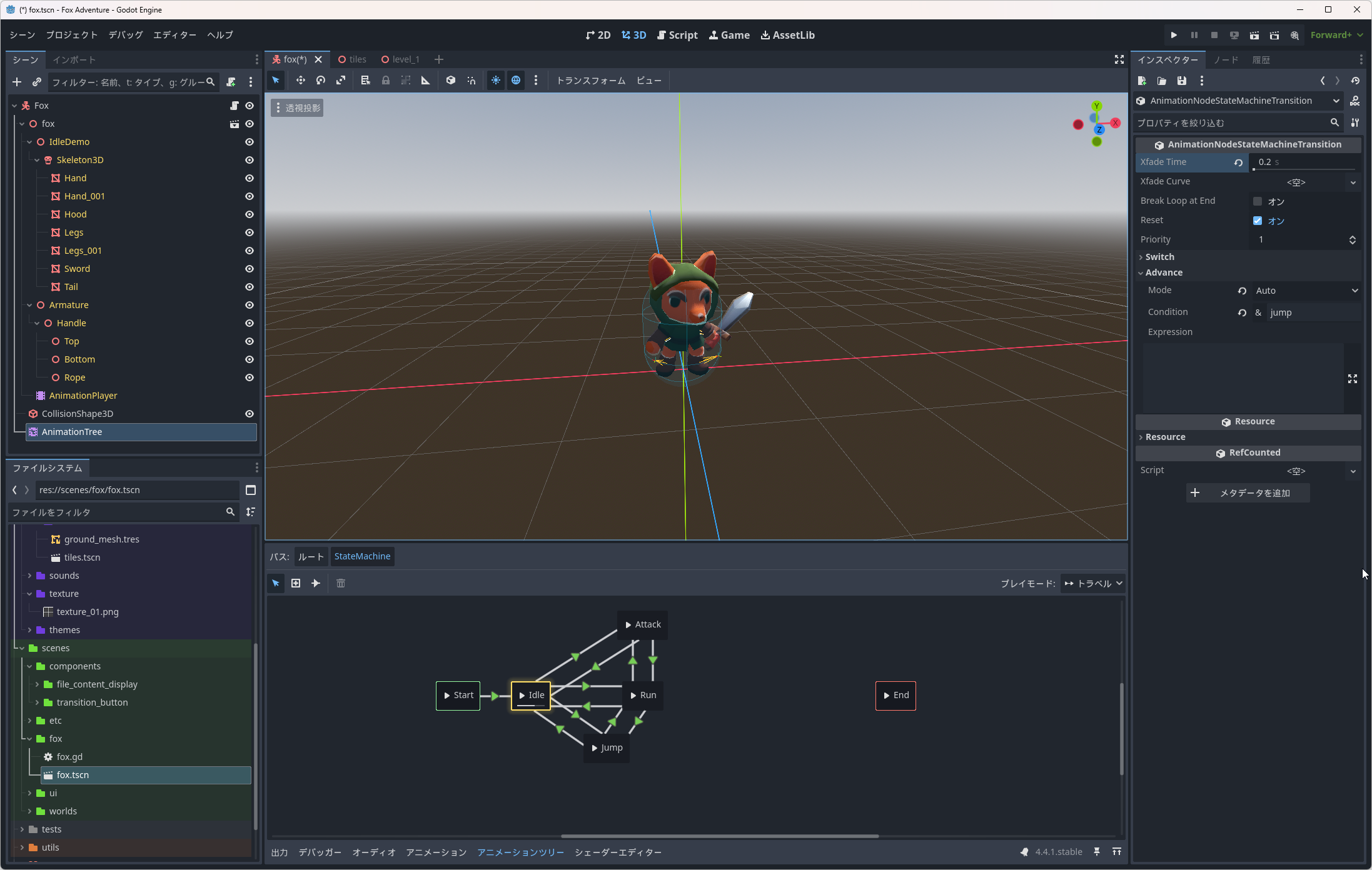
AnimationTreeのStateMachineはいらないかもだけど、後で必要になるかもしれないので入れておく。
スクリプトはこんな感じ
extends CharacterBody3D

# キャラ移動
@export_group("Movement")
@export var move_speed := 8.0 # スピード
@export var acceleration := 10.0 # 加速度
@export var rotation_speed := 12.0 # 回転スピード
@export var jump_impulse := 12.0 # ジャンプ高

# キャラクター
@export_group("Character")
@export var _skin: Node3D
@export var animation_tree: AnimationTree

var _last_movement_direction := Vector3.UP
var _gravity := -30.0

@onready var state_machine: AnimationNodeStateMachinePlayback = animation_tree.get("parameters/StateMachine/playback")

func _ready() -> void:
	add_to_group("player")
	Input.mouse_mode = Input.MOUSE_MODE_CAPTURED

func _input(event: InputEvent) -> void:
	if event.is_action_pressed("ui_cancel"):
		# マウスカーソル表示
		Input.mouse_mode = Input.MOUSE_MODE_VISIBLE

func _physics_process(_delta: float) -> void:
	var raw_input := Input.get_vector("move_left", "move_right", "move_up", "move_down", 0.4)
	var move_direction = (transform.basis * Vector3(-raw_input.x, 0, -raw_input.y)).normalized()

	if move_direction.length() > 0.2:
		_last_movement_direction = move_direction
	var target_angle := Vector3.BACK.signed_angle_to(_last_movement_direction, Vector3.UP)
	_skin.global_rotation.y = lerp_angle(_skin.global_rotation.y, target_angle, rotation_speed * _delta)

	var y_velocity := velocity.y
	velocity.y = 0.0
	velocity = velocity.move_toward(move_direction * move_speed, acceleration * _delta)
	velocity.y = y_velocity + _gravity * _delta

	var is_starting_jump := Input.is_action_just_pressed("jump") and is_on_floor()
	if is_starting_jump:
		velocity.y += jump_impulse
		state_machine.travel("Jump")
	elif not is_on_floor() and velocity.y < 0:
		pass
	elif is_on_floor():
		var ground_speed := velocity.length()
		if ground_speed > 0.5:
			state_machine.travel("Run")
		else:
			state_machine.travel("Idle")

	_attack(_delta)

	move_and_slide()

func _attack(_delta: float):
	if Input.is_action_pressed("attack"):
		state_machine.travel("Attack")